Load populated places
Start with city points that already include population values. Import the Natural Earth populated places GeoJSON.
Scale city points from a ready Natural Earth populated places GeoJSON file.
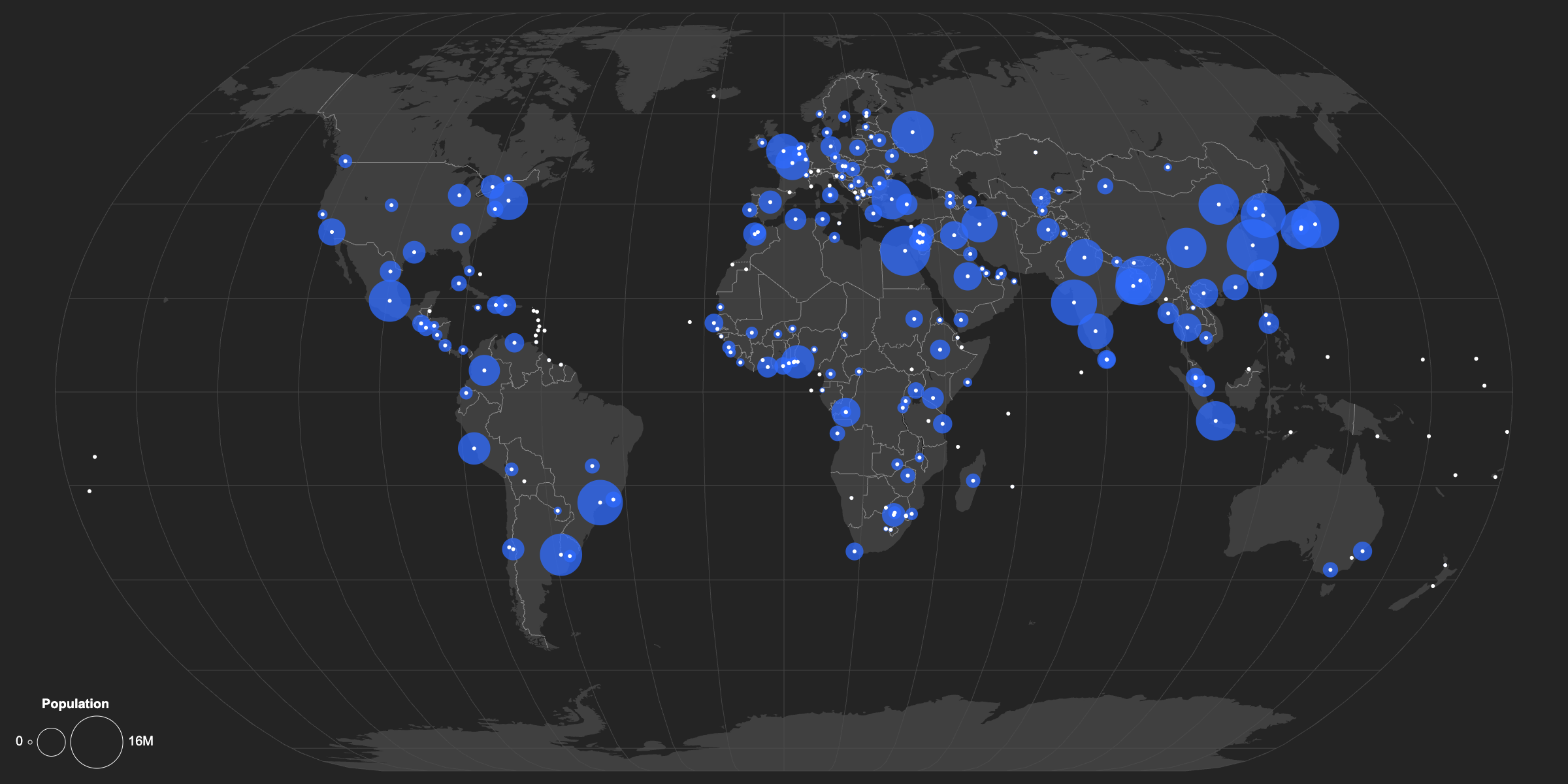
Start with city points that already include population values. Import the Natural Earth populated places GeoJSON.
The dataset includes several population columns, including POP_MAX, POP_MIN, and POP_OTHER. Use POP_MAX for this visual, then set the maximum size value to 15 so larger cities stand out clearly.
Scaled city circles can overlap and obscure the exact point location. Set Location Emphasis to Strong to mark the precise city position and keep each location legible.
Because the data is global, the full map projection should fit the artboard. Open the Basemap panel, set Autofit to Projection, then choose Natural Earth or another global projection.
Create a new map, load the source data, and use this workflow as a starting point for your own editorial or design project.